Blacksheep Mind Get the book, $12

A Blacksheep Mind web book · Content that grows

You made three videos, watched them back, and quietly stopped.

Eight steps to short videos you can make on your own with the phone you already have, with or without your face, week after week. For cafe, salon, repair shop, florist and small store owners, and makers who sell online.

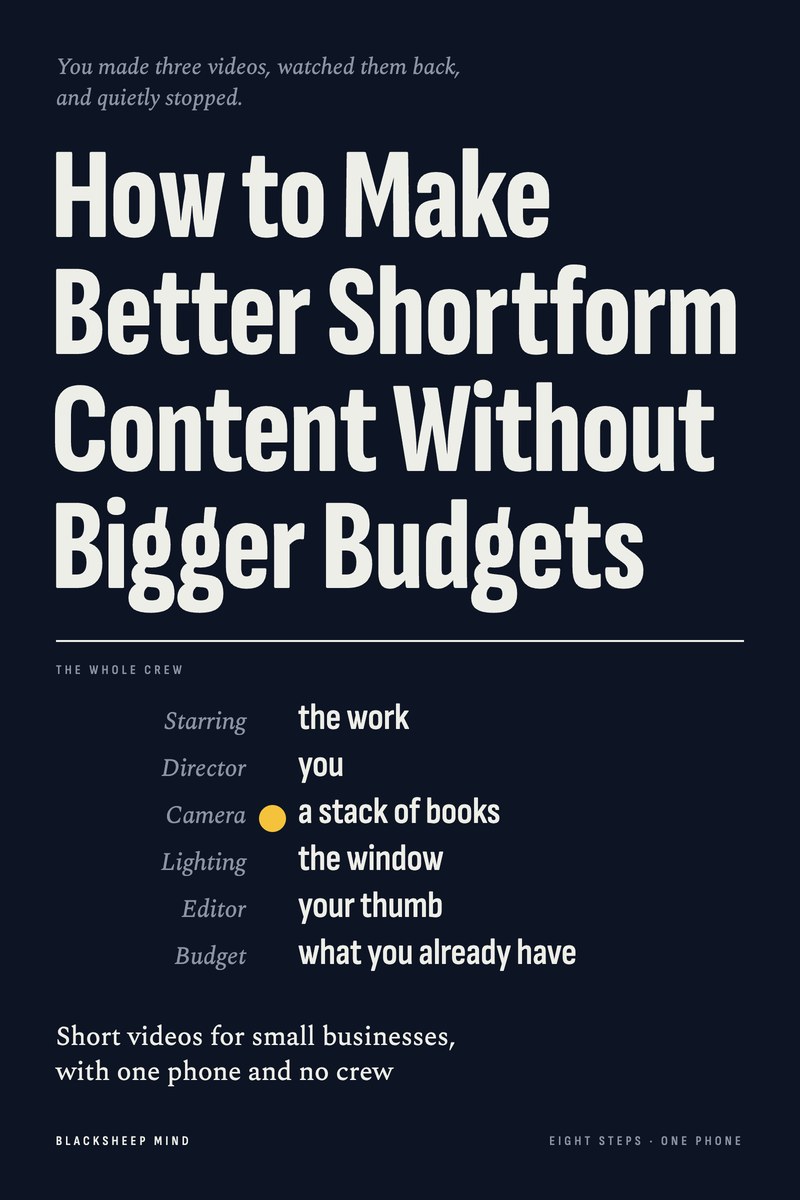
How to Make Better Shortform Content Without Bigger Budgets. Short videos for small businesses, with one phone and no crew.

The cover of How to Make Better Shortform Content Without Bigger Budgets.
Read it online, or download the PDF to keep or print. Nothing is posted to you.
Chapters
8
Tools
3
Reading
50 min
Price
$12
Get the book, $12

Read it tonight on your phone or laptop. One price, no upsells. No refunds: you get the whole book straight away.

The moment

Their video had a crew. Yours had you.

  • A brand’s video: three camera angles, music on the beat, a smiling team.
  • Yours: 40 seconds of you holding a product, saying “Hi everyone.”
  • 31 views, and one comment, from your sister-in-law.
  • A note on your phone that still says “make more videos.”

It’s easy to decide the big brands can do this because they have a crew and a budget. But the crew is paid to make a 15-second ad look like it happened by chance. You can film the real thing happening, on your own, in about an hour.

What’s inside

Eight steps, in the order you’ll make your first video

  1. 01

    Pick a Format Before You Pick an Idea

    Six kinds of video that work for almost any small business. Keep the two you could film this week, alone.

  2. 02

    Give Every Video the Same Simple Shape

    Start with the good part, three short beats, then hold the result. 15 to 45 seconds, one thing per video.

  3. 03

    Turn One Good Video Into a Series

    One plain name, one day, a number on every episode, so you never start from a blank page.

  4. 04

    Decide How Much of You Goes in It

    Your face, your voice, your hands or none of you. Every kind of video in the book works without your face.

  5. 05

    Film It on Your Own With One Phone

    The phone propped on a shelf or a stack of books, short clips instead of one long take, and each action done three times.

  6. 06

    Edit It in 20 Minutes, Not Two Hours

    Four cuts and one sound, in the app’s own editor or a free one. No spinning transitions.

  7. 07

    Put Words on the Screen People Can Read

    A title in the first second, captions checked word by word, and a plain caption under the video.

  8. 08

    Make It Once, Post It in Four Places

    Save a clean copy, then post the same file to more than one app and one place off social.

Plus a short introduction and a closing chapter that puts it all into one week: one series, three episodes, filmed in one session. 8 chapters, about 50 minutes to read.

A page from the book

You don’t have to show your face. Show the work.

Step 4 · from the book, word for word

Decide How Much of You Goes in It

A case

Hands only, voice later

Seo-yeon sells notebooks, pens and paper goods online from her spare room. She recorded herself at her desk talking about a new range of notebooks, played it back, couldn’t stand the sound of her own voice and deleted it before posting. Then she went three months without a video. Her first thought was that the shop needed someone younger to be “the face”.

Instead, she chose hands only. She propped her phone above the desk and filmed her hands opening a box of new notebooks, flipping through the pages and packing an order with tissue paper and a handwritten note. In place of talking, she put three words on the screen for each clip: “new this week”, “dotted pages”, “packed today”.

After four of those, she wrote three lines on a note, took the phone into her closet and recorded a voiceover for the fifth. She posted twice a week for a month, and one customer wrote in an order note that she liked watching the packing.

What to say
Instead of

“Hi everyone, so, um, today I wanted to talk to you about...”

Try

“Someone asked me this week whether it’s worth recovering an old sofa.”

Try

“This came in on Monday. Here’s what three days does.” (read over the clips, as a voiceover)

Try

“Could I film your hands holding it for our page? No face, and it’s fine to say no.”
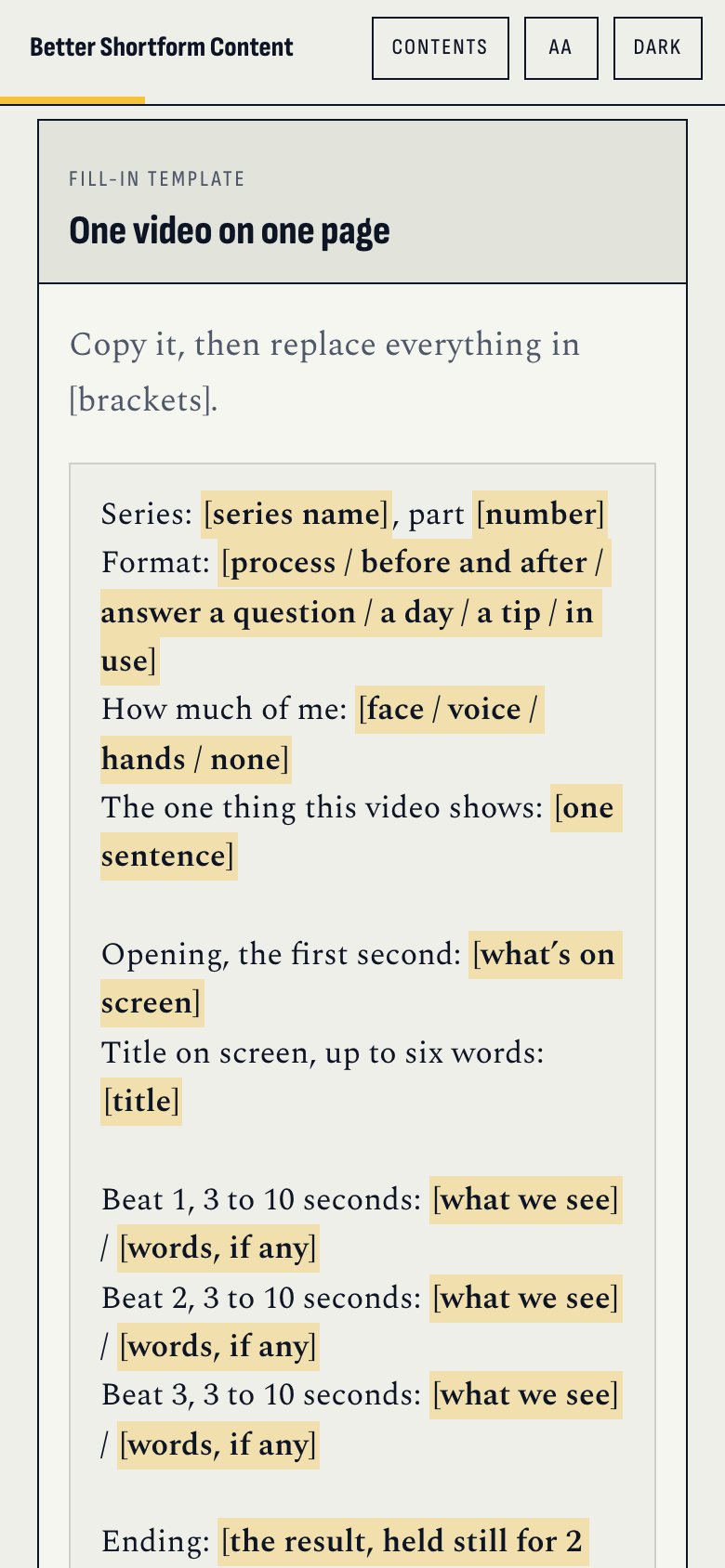
The one-video template in the web book, on a phone.
One video on one page, ready to copy
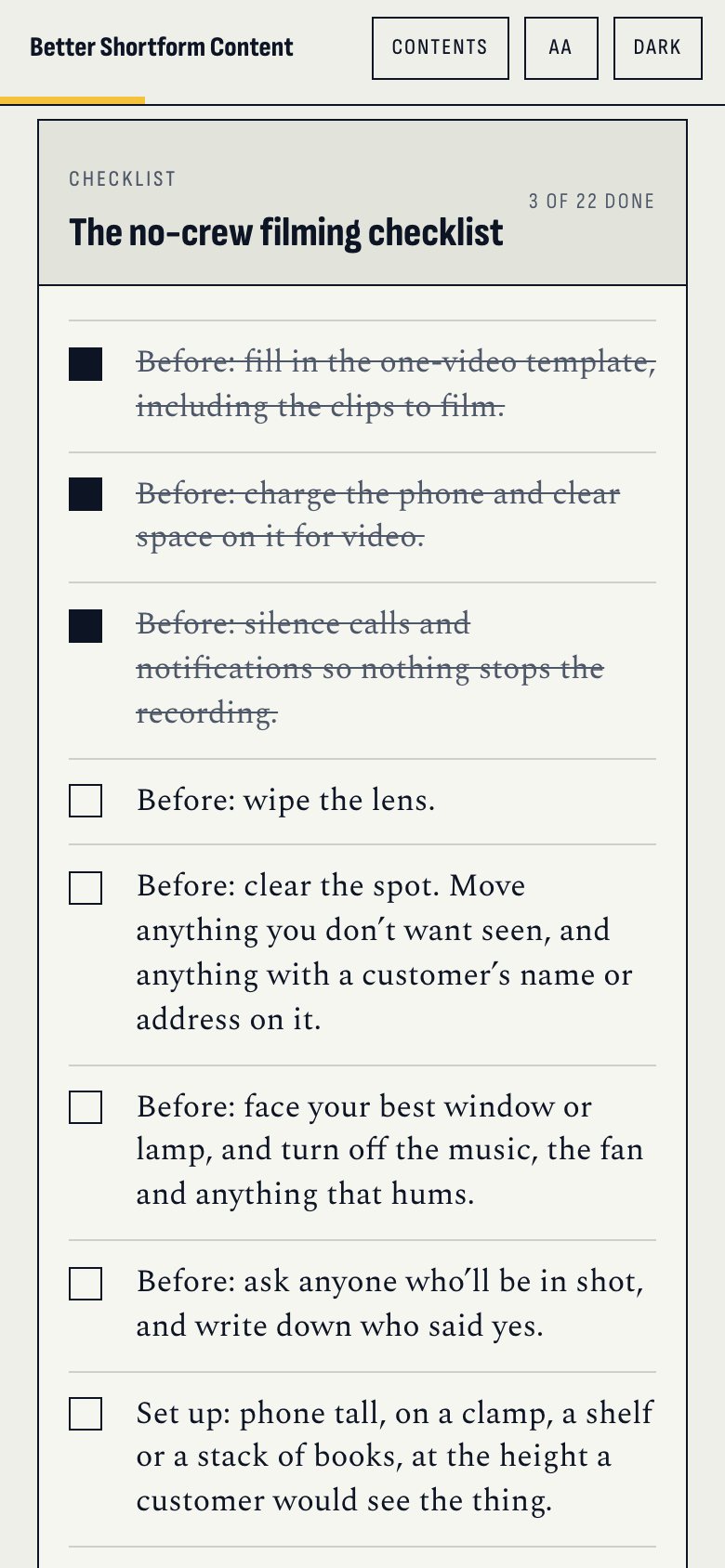
The no-crew filming checklist in the web book, on a phone, with three items ticked.
The filming checklist, ticked off on your phone

The tools

Three tools, from the first idea to the last clip

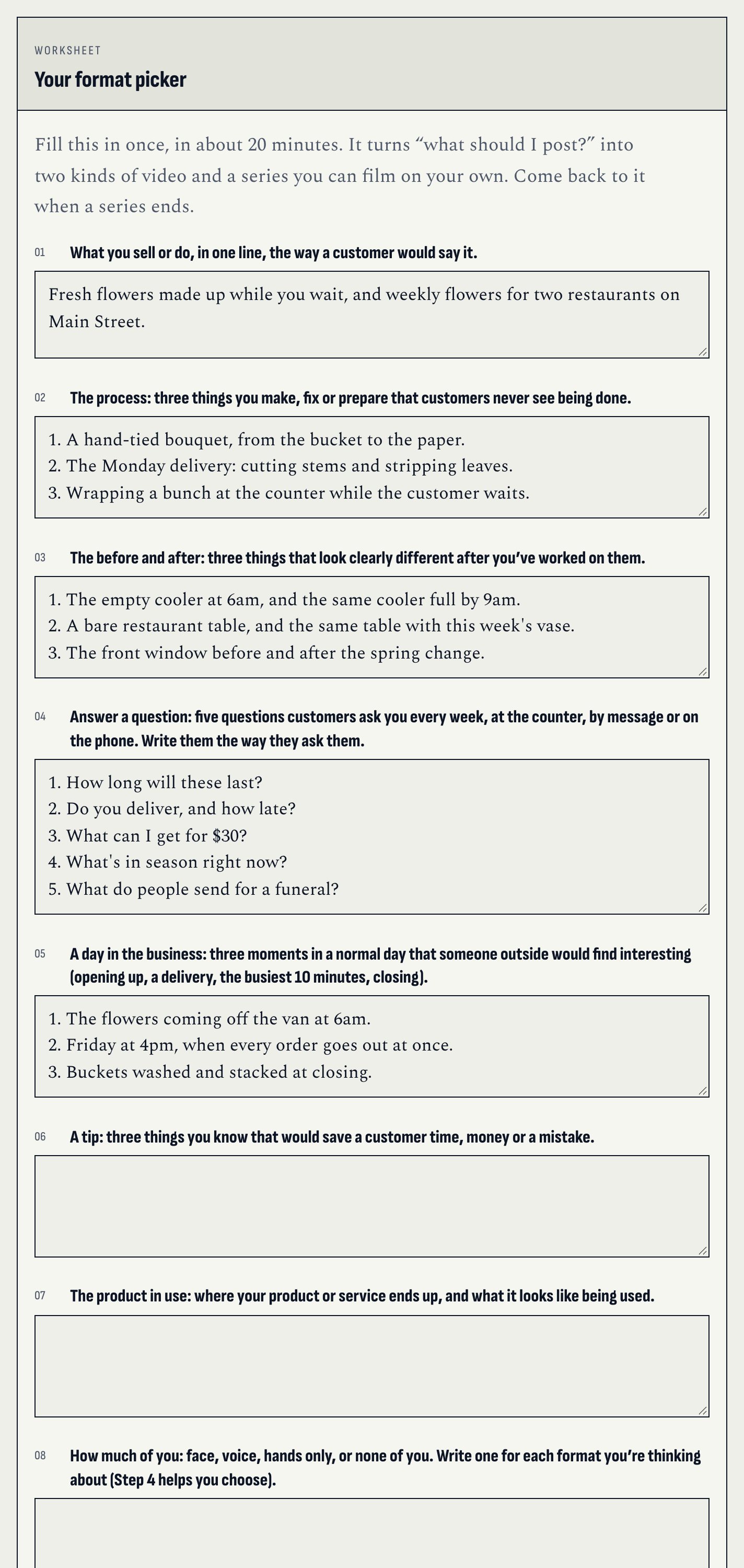
  • WorksheetYour format pickerSix kinds of video written out for your business, narrowed to the two you can film alone, then a series and its first six episodes. About 20 minutes.
  • Fill-in templateOne video on one pageThe opening, three beats, the ending and the next step, plus the clips to film and the caption.
  • ChecklistThe no-crew filming checklistBefore, setting up, filming and before you pack up, to tick off on your phone with nobody there to help.
The format picker worksheet in the web book, part filled in with an example.
The format picker, with a made-up example filled in

Who it’s for

For the person who is the whole crew

For you if

  • You run a cafe, salon, repair shop, florist, studio, food truck or small store, and your work can be watched.
  • You make and sell things, often on your own, and want to show how they’re made.
  • You’ve made a few videos, felt awkward or ran out of ideas, and stopped.
  • You’d rather not be on camera, or not every time.

Not for you if

  • You want your videos to look and sound better. That’s our Shoot Professional Brand Content From Your Living Room.
  • You want a course on the first 3 seconds, or a whole month of posts planned. Other books on our shelf cover those.
  • You want a promise of more views or followers. Nobody can honestly make one.
Get the book, $12

8 steps · 3 tools · read tonight

Your questions

Before you buy

Do I have to show my face?

No. One chapter gives you four choices: your face, your voice, your hands, or none of you. Every kind of video in the book can be made without your face.

Do I need to buy anything?

No. Your phone and something to lean it on: a stack of books, a shelf or a bag of rice. A clamp tripod (about $10 to $25) is optional.

Which apps does it cover?

Instagram Reels, TikTok, YouTube Shorts and Facebook, in general terms, because the buttons change. You edit in the app itself or a free editing app.

Will this get me more views or followers?

No book can honestly promise that, and this one doesn’t. It gets you a video you can make on your own every week, and plain ways to tell whether it’s working.

How long does one video take?

Plan on about an hour the first time: the template, the filming and a 20-minute edit. Less once you have a series. The book itself takes about 50 minutes to read.

I have the living-room book. Is this the same?

No. That book makes your photos and videos look and sound good. This one decides what to film, how to shape it and how to keep making it every week. They work well together.

Is it a PDF?

You get both. Read it online on your phone or laptop, where the worksheets save as you type, or download the PDF to keep or print. In the PDF, the worksheets have lines to fill in by pen.

How to Make Better Shortform Content Without Bigger Budgets

Read it tonight. Film three this weekend.

$12one price, no upsells
Get the book, $12

Read it online, or download the PDF to keep or print. Nothing is posted to you. No refunds: you get the whole book straight away.